Wedding planning in one app
From day one, wedding planning splits into pieces: guests and budget, invitations and seating, vendors and the planning checklist. The app keeps them together instead of scattered across notes, spreadsheets, and group chats.
Free to start, no subscription and no card required
More than 50,000 weddings have been planned in the app
01How it usually goes
At first it feels like you can keep it all in your head
The venue is in your saved posts. The photographer is in a text you forwarded to yourself. Expenses are in a spreadsheet you started and never opened again. And your mom left a voicemail about Aunt Carol that you never finished listening to.
All of it exists somewhere. Just in different places.
It’s not that you’re disorganized. You plan a wedding once in your life, and there’s nowhere to learn it ahead of time.
Saved
here’s the photographer, she shot Sarah’s wedding, so good
Forwarded to myself · 10:14 PM
Wedding
ask Kate who her DJ was arch or semicircle? get the list from mom
02Why one app
All of it holds together until the first thing changes
The date slips, the venue never confirms, catering comes back more expensive. But the guest list changes most often, and it drags the most along with it.
Guests5058
budgetvenuemenubarseatingshuttle
When a wedding is spread across notes and spreadsheets, that’s six edits in six different places, and you’ll remember one of them only in the last week.
In the app it’s one wedding.
Change the guest count. The budget, the bar order, and the table plan update themselves.
03What’s inside
The app takes you through all of wedding planning
You won’t have to do it all at once: venues get booked almost a year out, and you write the packing list the week before. The app shows what to do now, and there’s already a tool inside for every task.
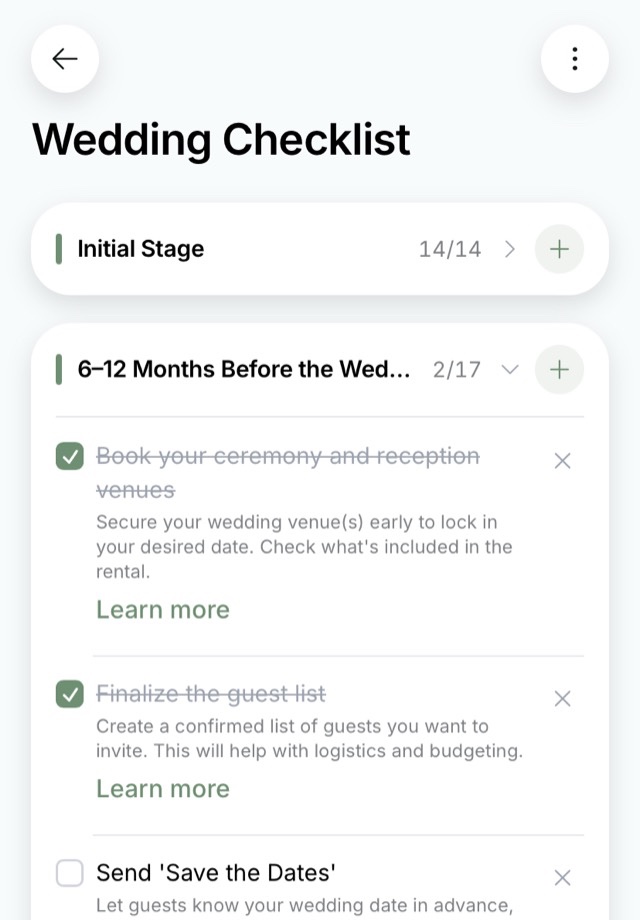
The planning checklist, for example
Tasks for every part of the planning, laid out by deadline, from picking the date to what’s left to do after the wedding. Each one has a short explanation and detailed guidance if you need it.
You check off what’s done, remove what doesn’t apply, and add your own. The checklist adapts to the size and style of your wedding.
“If you don’t know where to start, this app is there to help, every task is spelled out in the smallest detail […] We downloaded it with my fiancé and we fill it in from two phones”
Wesliii.s · App Store, August 2026 (translated)
Right after the proposal
the first few weeks
Wedding venues
Restaurants, lofts, barns, and tents: how they differ, what to ask the coordinator, and somewhere to keep your options instead of comparing ten open tabs.
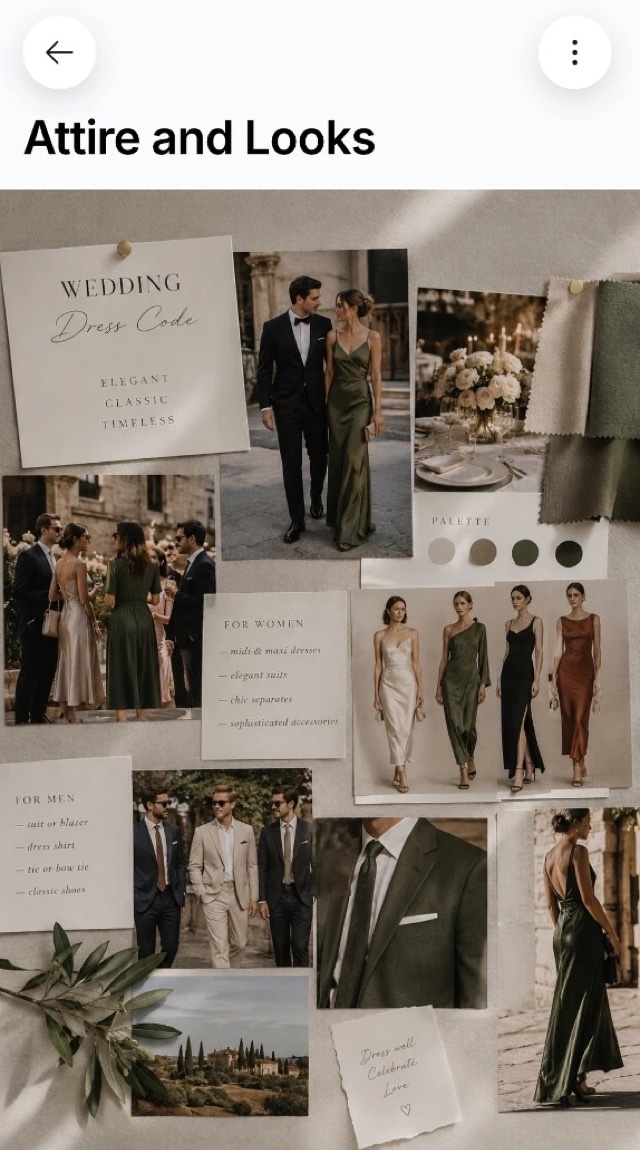
Style and mood boards
The colors and the mood of your wedding. You show the finished board to your florist instead of explaining it at length.
Shared access
Your partner, your mom, or your planner sees the same wedding from their own phone. Nothing has to be forwarded or double-checked.
Notes and tasks
Everything the ready-made checklist doesn’t cover: your own errands, deadlines, and thoughts that would otherwise scatter.
Brides’ chat
A community of people planning at the same time as you. They’ll advise, back you up, and explain what feels awkward to ask family.
While you set the budget and pick vendors
6 to 12 months out
Planning checklist
Tasks for every part of the planning, laid out by deadline, each with an explanation. You can see what to do now and what can safely wait.
Guest list
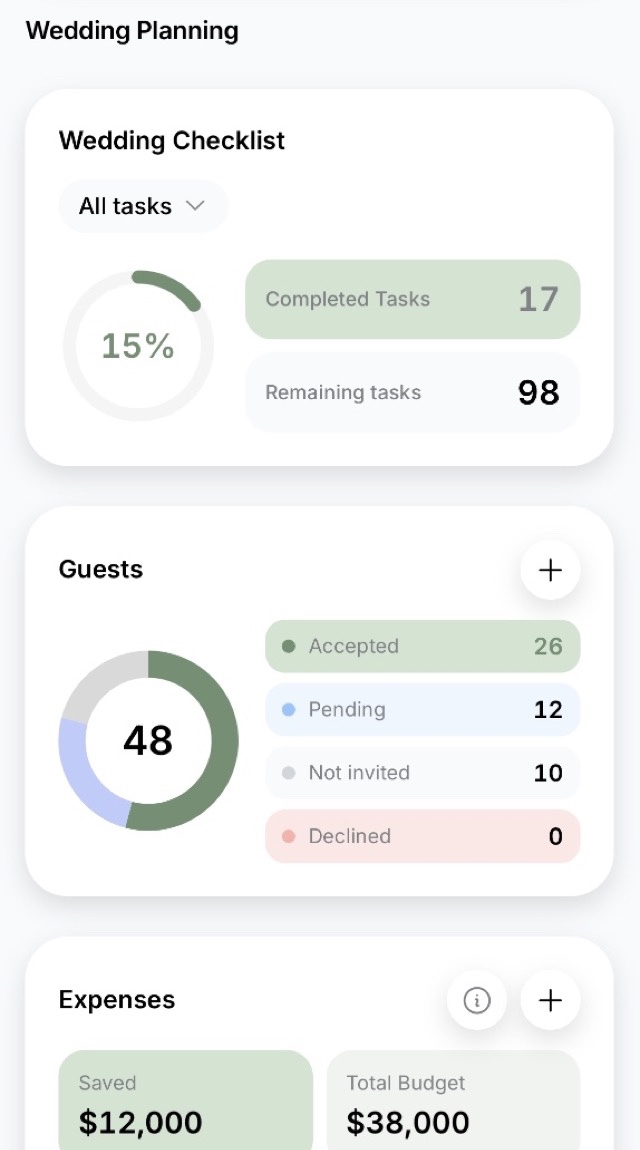
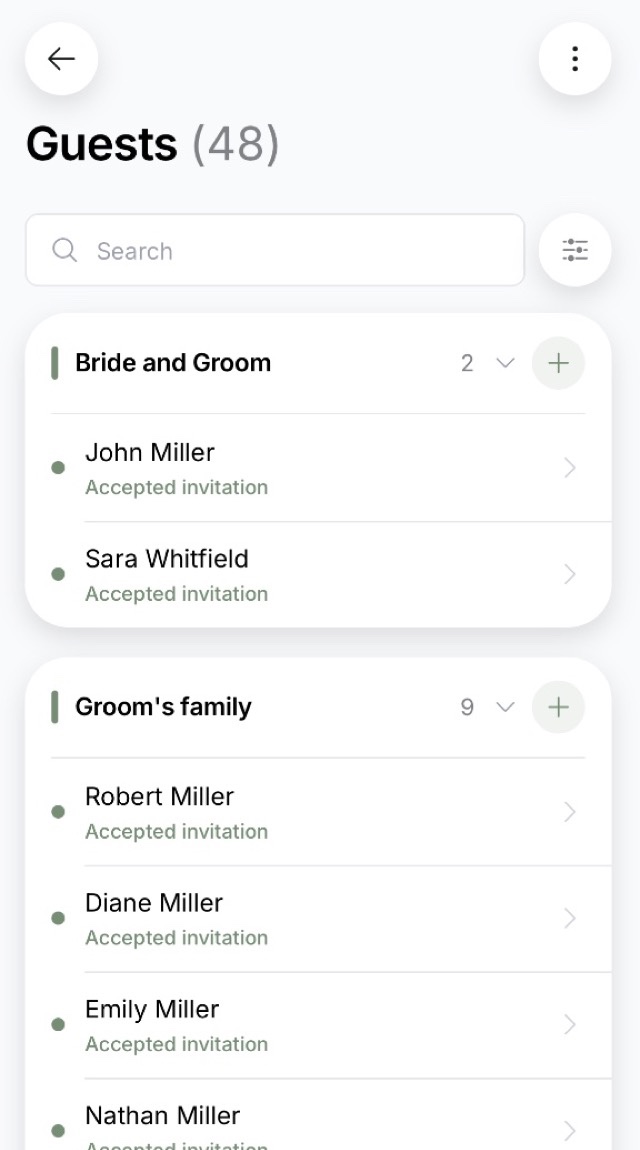
Who’s in and who’s out: the list your parents will debate the longest. Later the same place shows who replied, who hasn’t, and who needs a shuttle seat or a hotel room.
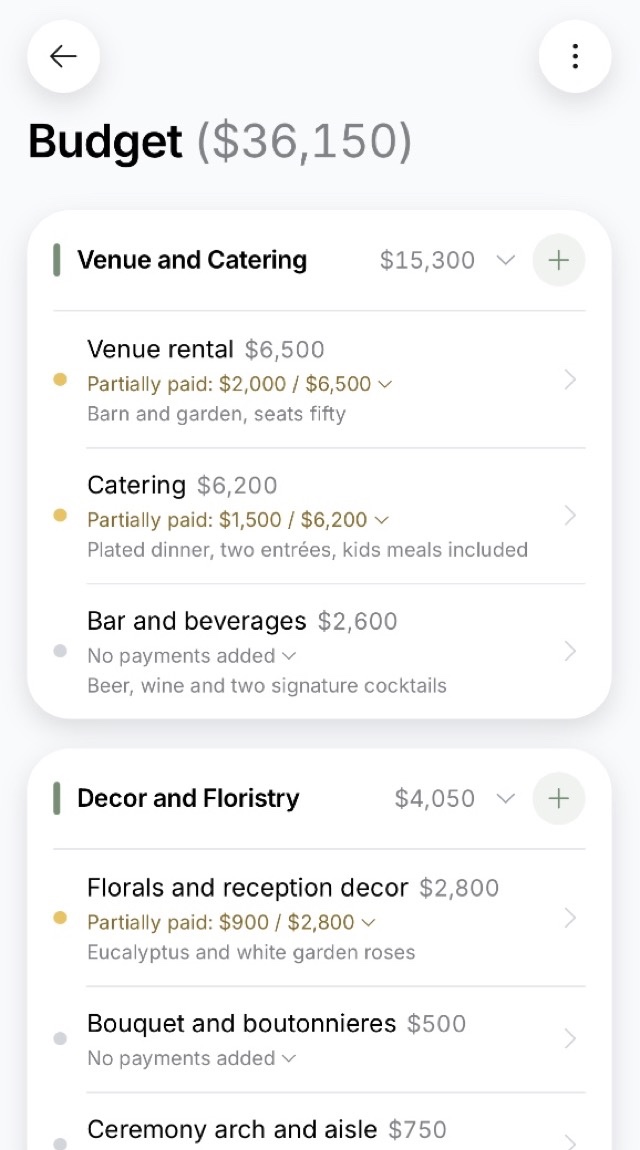
Wedding budget
How much you’re willing to spend and on what. Planned, actual, and remaining show up for every line, so overspending is obvious right away instead of at the end.
What a wedding costs
Real numbers from other couples’ budgets, so you know the ballpark before you start calling venues.
Vendors
Photographer, DJ, florist, hair and makeup: who you’ve found, who’s booked, what it costs, and when the next payment is due. Contacts and agreements don’t get lost in your texts.
When you invite your guests
3 to 6 months out
Online invitations
A page about your wedding that guests open by link: the timeline for the day, the address with a map, the dress code. They RSVP right there too.
Wedding website
One shared link for everyone if you don’t need named invitations. Guests add themselves, and the list builds from their replies.
Invitation templates
The set has 30 ready-made designs. Pick one, drop in your names and date, and you can send it out without hiring a designer.
Gift list
What you’ll actually use. Guests claim a gift so nobody brings the same thing and nobody has to ask.
When everything has to be counted
1 to 2 months out
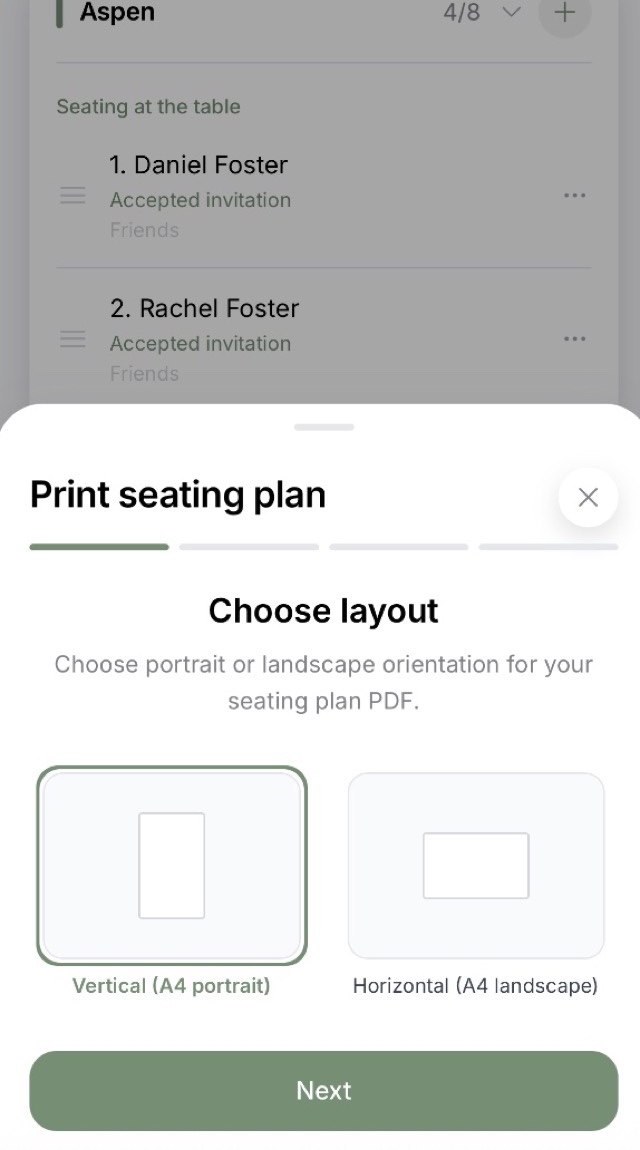
Seating chart
The table plan: who sits with whom, allowing for couples, families, and groups. It builds on the guests who’ve already said yes.
Drinks calculator
How much wine, sparkling, and everything else to buy for your guest count and the length of the night. No extra cases and no running out.
Catering calculator
How many appetizers, entrées, and slices of cake you need, so nobody goes hungry and half the food doesn’t go home untouched.
Guest accommodations
Where out-of-town guests stay and who shares a room. Useful when people fly in for the weekend.
On the wedding day and after
and the night before
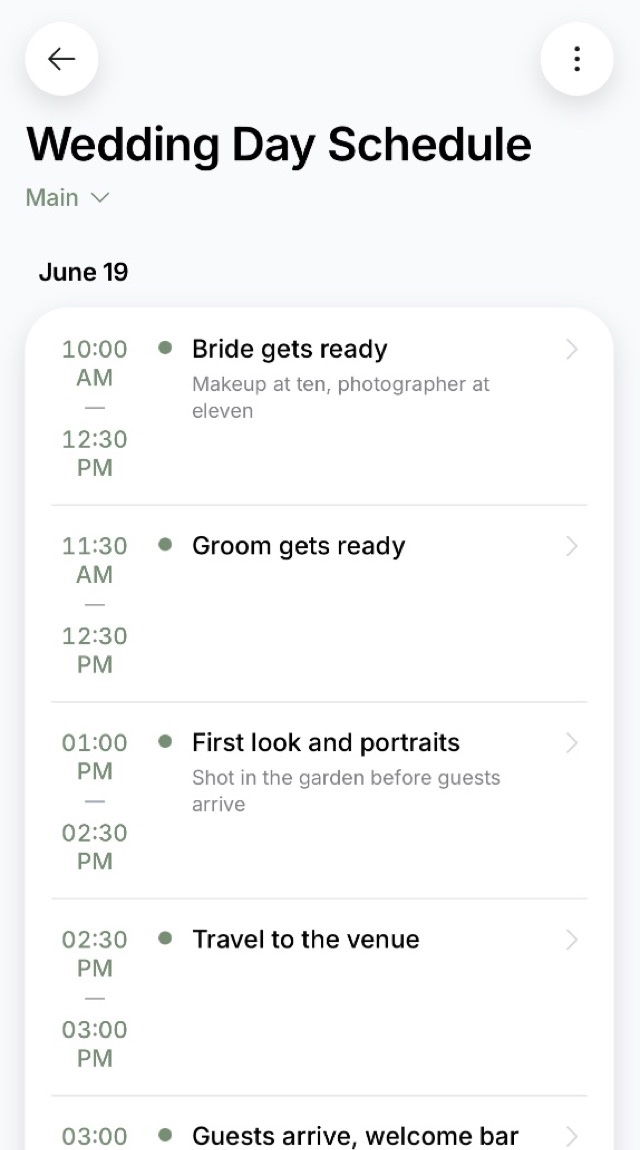
Wedding day timeline
The day hour by hour: getting ready, ceremony, reception, send-off. You, your DJ, and your vendors all work from the same document.
Wedding playlist
Music for each moment of the day, from getting ready to the first dance. The finished list goes to your DJ as one file.
Wish book
A QR code on the table: guests leave notes and photos from their own phones, and you download the finished book afterward.
Guest photo album
Photos from everyone’s phones collect into one album. Guests install nothing, they just point a camera at the code.
Wedding newspaper
A ready template with ten sections: swap in your own text and print it. A keepsake of the day that’s nice to hold.
Here is what six of them look like.
04Invitations
All of it still has to reach the guests
Guests ask the same things: what time, where, what to wear, whether they can bring the kids. The online invitation already has it, along with the map and the timeline for the day, and they read it for themselves.
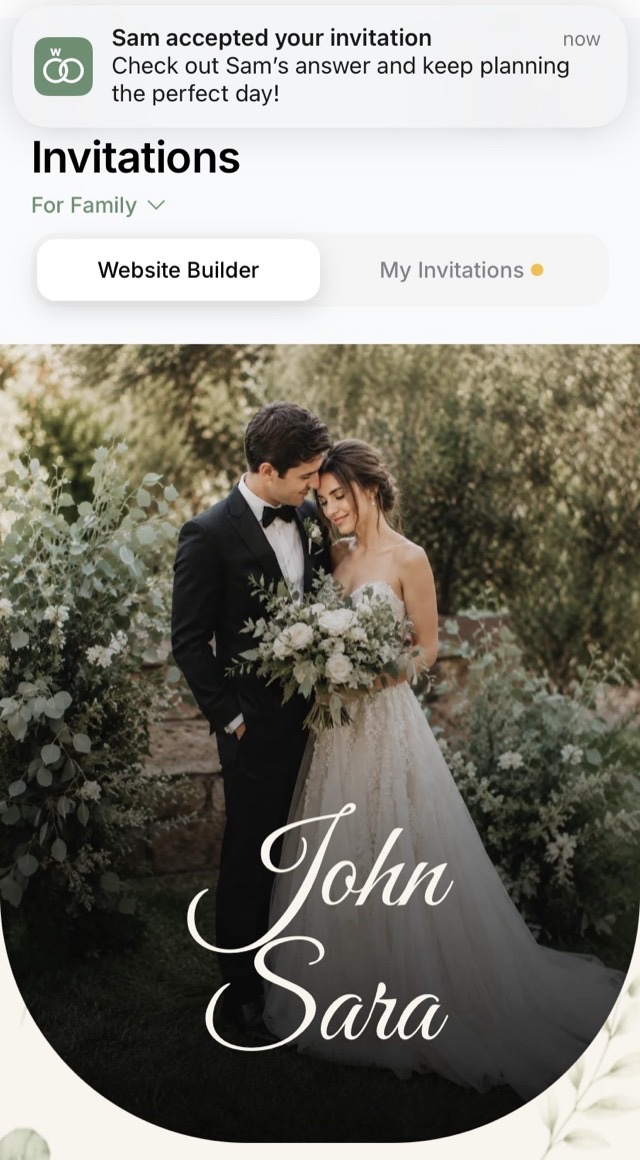
Aunt Carol, the one from that voicemail you never finished, opened the link in her browser late at night and answered for herself and her husband: both coming, white wine, they need the shuttle, no hotel room.
You didn’t enter any of it. You just read the notification.
Two weeks out, the caterer will ask how many people are coming, and you’ll give an exact number.
See invitations and templates05Brides’ chat
In the brides’ chat you’re next to people planning right now
You plan the wedding together, but you worry about it alone. Your friends are tired of hearing about it, your mom keeps saying what she would have done, and your partner doesn’t understand how tablecloths can make you cry.
The brides’ chat is full of people going through this at the same time as you. Here they get it without explanations, and they’ll also tell you what a DJ costs in your area and whether a videographer is worth it.
Look inside the brides’ chatWhat people talk about
What does a DJ cost for six hours outside a big city?
Book the photographer for the whole day, or just the ceremony and portraits?
Do you need a videographer if you already have a photographer?
How much do parents usually chip in?
“…we organized our entire wedding in it! We added all our expenses there and planned the seating chart too, and the brides’ chat is a pleasure of its own”
Dilya Nova · App Store, September 2026 (translated)
06Price
Pay once for your wedding
Try it
Free
Add your guests and expenses, keep your to-do list, and read the brides’ chat.
Start for freeFull planning
$7.99
The complete checklist, seating, RSVP tracking, actual payments, the wedding day timeline, and shared access for two.
What’s in the planWith invitations
$59.99
Everything above, plus online invitations and the guest photo album.
See the invitationsStart for free, then decide whether you need a paid plan. The $7.99 plan covers all of the planning, and invitations with the guest photo album are added separately.
No subscription, no card on file, no charges you didn’t ask for
“Everything the app offers pays for itself 100% […] You won’t get through it without stress, but with this app there’s far less of it”
kuzfv · App Store, August 2026 (translated)
Common questions
- How much does it cost, and is there a subscription?
- It’s free to start. Full planning costs $7.99 once for the wedding. Invitations together with the guest photo album cost $59.99. There’s no subscription, no card on file, and nothing gets charged on its own.
- Do guests have to install anything?
- No. A guest opens the invitation by link in a browser, RSVPs there, and picks their drinks or a shuttle seat. The app is only for you.
- Can I plan from a computer?
- Yes. Besides the iPhone and Android apps, there’s a web version: the same wedding opens in a browser on your laptop.
- How is this better than a spreadsheet or notes?
- A spreadsheet doesn’t know your deadlines and doesn’t collect replies. Here the checklist shows what to do now, and a guest’s RSVP goes straight into the guest list, the seating chart, the bar order, and the shuttle list.
- What’s left after the wedding?
- Guest photos in one album, the wish book with what everyone wrote, and the budget with what you actually spent. The checklist has its own stage for what’s left to do after the day.
Start with the date and the guest count
From there, one app holds everything: from the first venue you saved to the table plan and the to-do list for the wedding day.
And Aunt Carol ends up in your guest list instead of an unplayed voicemail.
Free to start, no subscription and no card required
Wedding Planner - No Stress! is a wedding planning app for iPhone and Android, and it works in your browser too.