Online Wedding Invitations
One link instead of fifty identical conversations. The schedule, directions, dress code and your questions for guests are all on one page. Your guest opens it in a phone browser.
Your guests install nothing and register nowhere.





Parents. Your sister. Kate and Paul.
Then the uncle you cannot leave out. Then two people from work, because it would be awkward not to. Then your parents’ friends, whom you have met twice. At some point the list holds fifty people, and you will have to talk to every one of them.
And not once. Invite, remind, ask whether they are coming, who with, what they drink, whether they need a ride or a room. And they will ask you what time to arrive, how to get there, whether there is parking, what to wear and whether they can bring a child.
Fifty people. Three months. All of it with you as the round-the-clock help desk for your own wedding.
What it is
What an online wedding invitation actually is
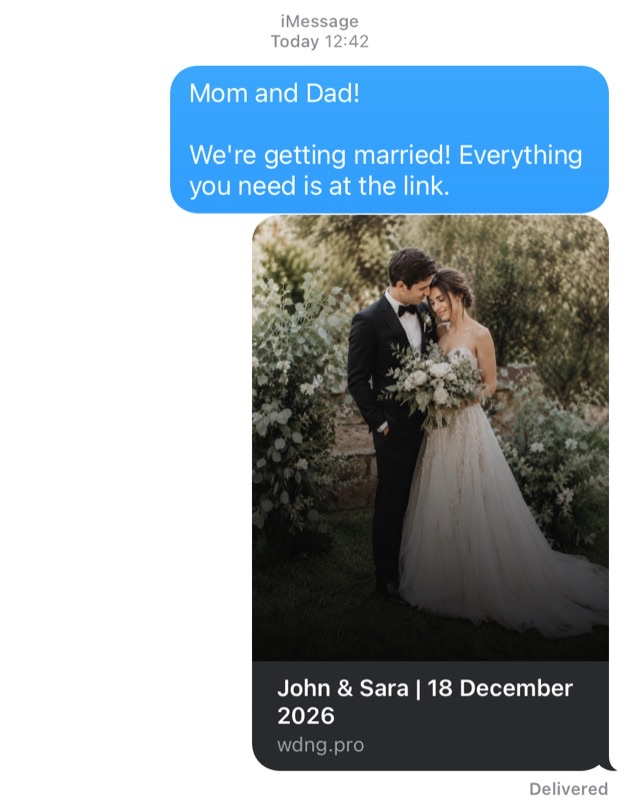
It is not a picture forwarded in a messenger, and not a file anyone has to download.
It is a page about your wedding that a guest opens by link. The first thing they see is a greeting addressed to them: «Mom and Dad!», not «Dear guests». Then they read everything they need to know and answer right there.
None of this fits on a printed card. So paper carries the date and the address, and the rest you end up explaining to each person separately.
A wedding website: one link for all your guests
An invitation can be personal, with its own link for each family. Or it can be shared: you post one wedding website in your guests' group chat, and everyone opens it in their phone browser like any other page. On a wedding website, guests add themselves and their plus-ones.
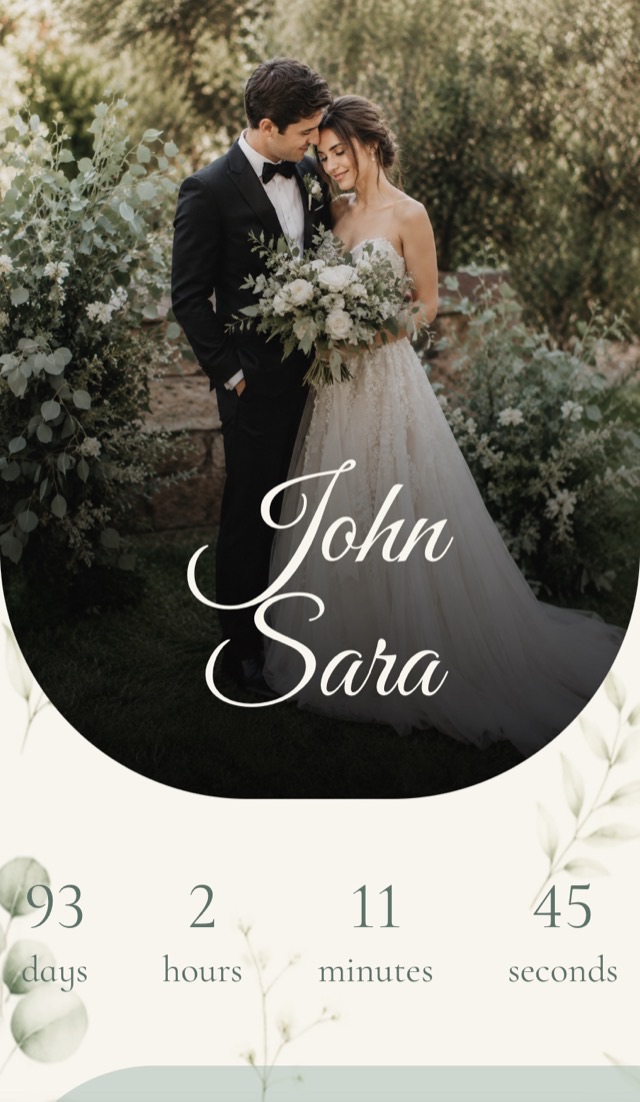
What's inside
What an online wedding invitation includes
12 sections, so your guests never have to ask you the same questions.
What you would genuinely like to receive, so nobody has to guess.

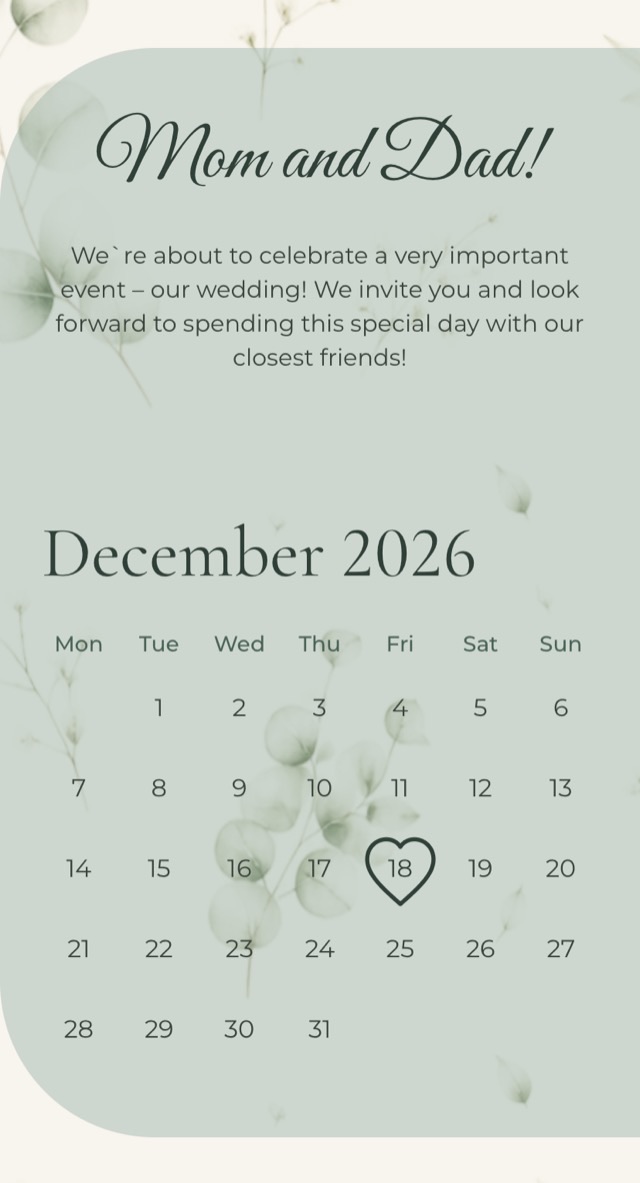
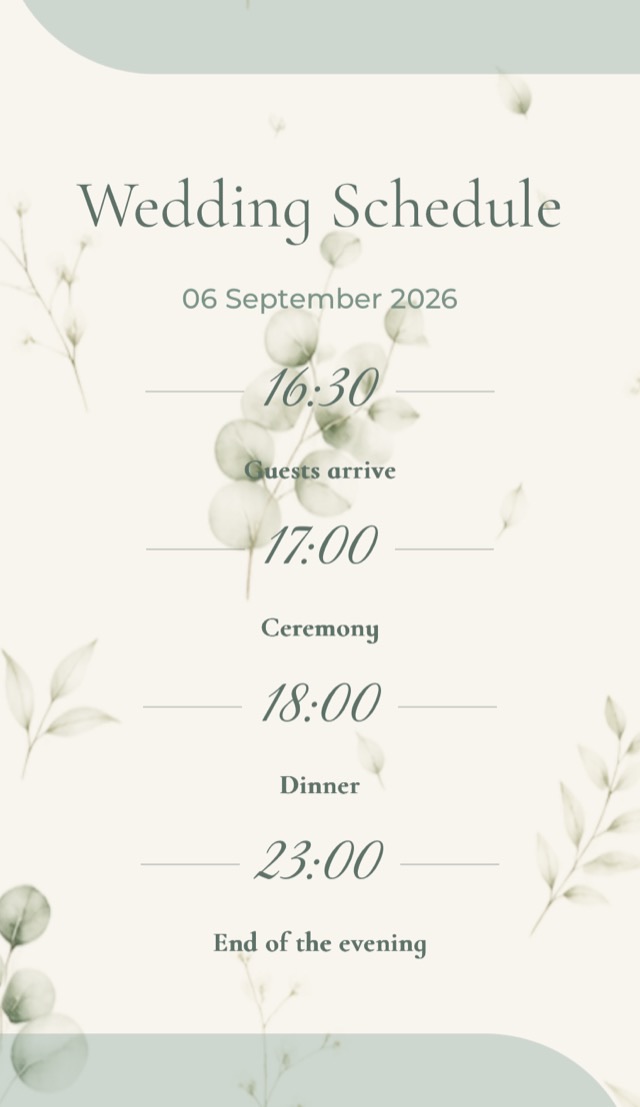
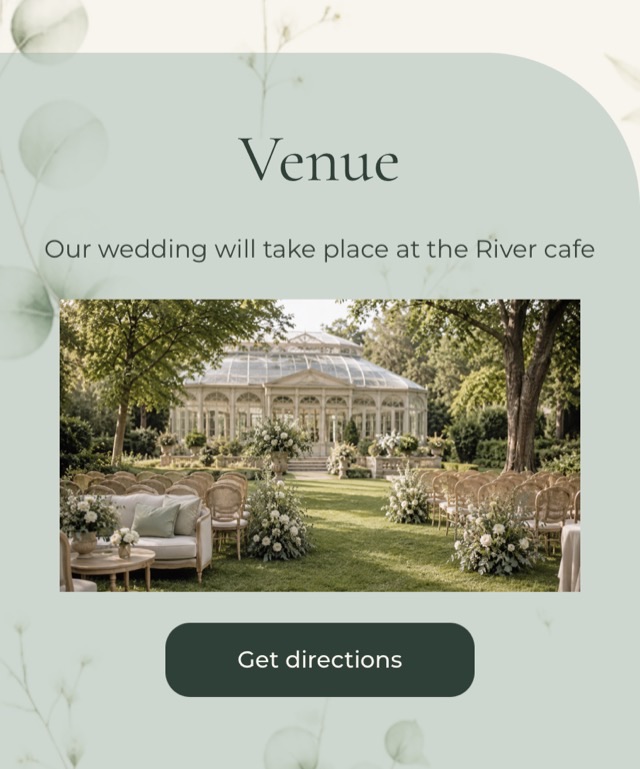
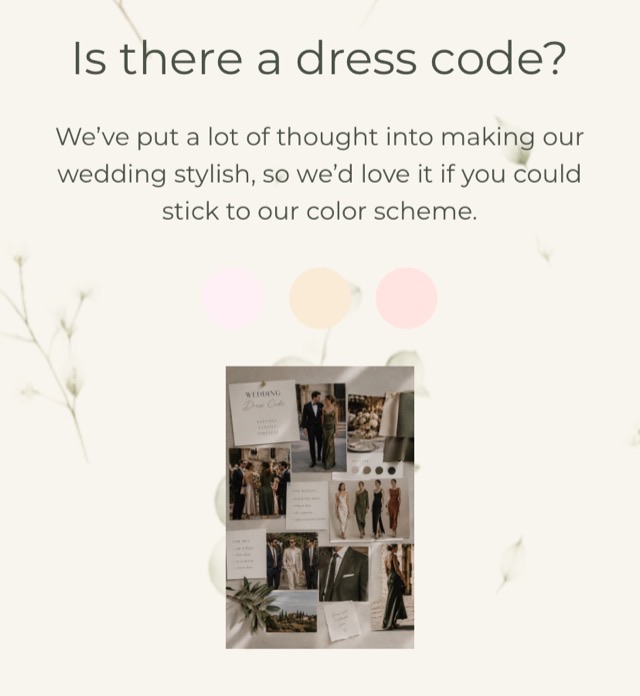

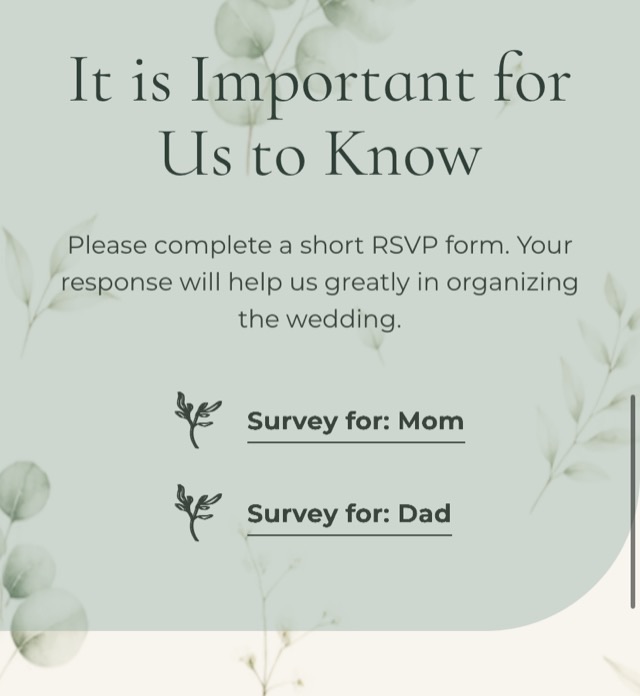
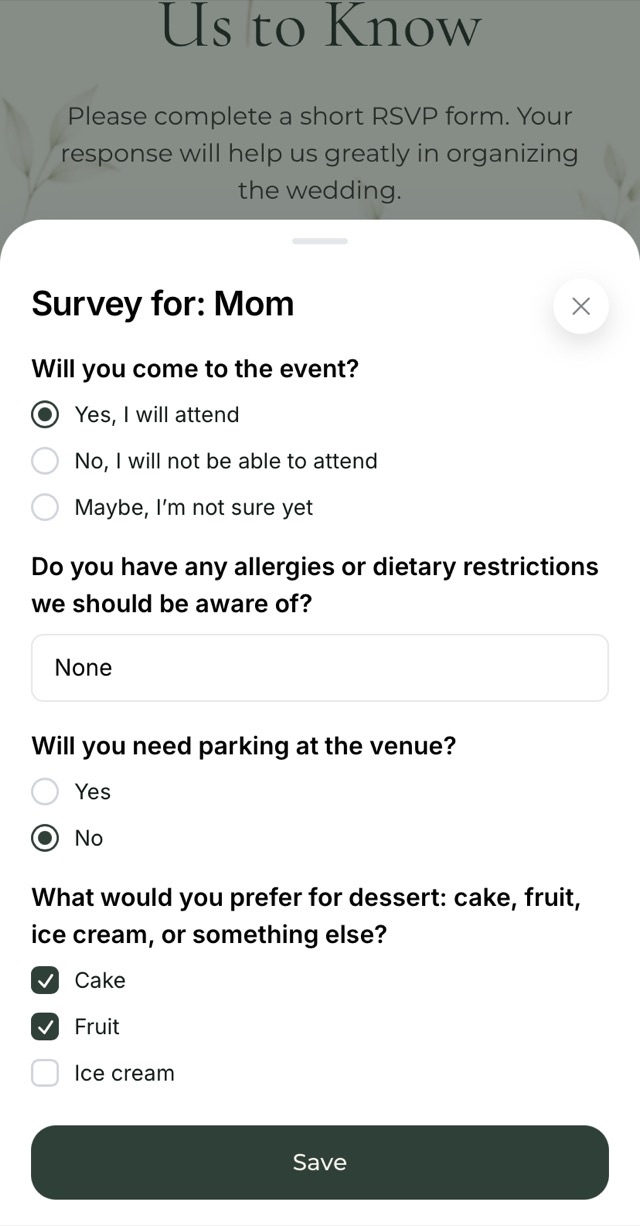
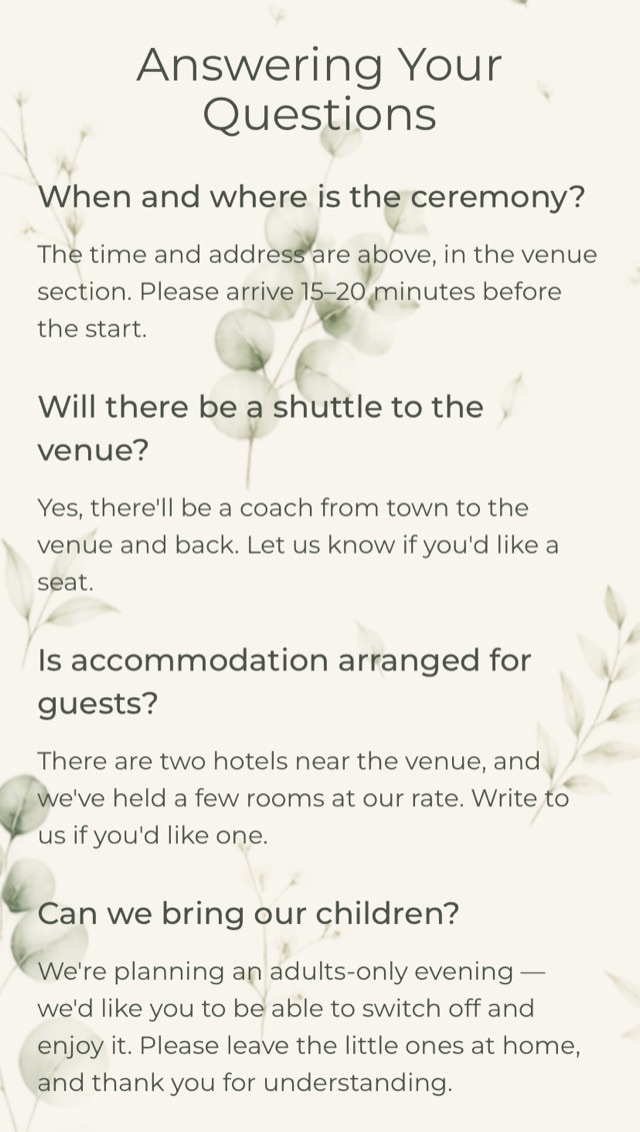

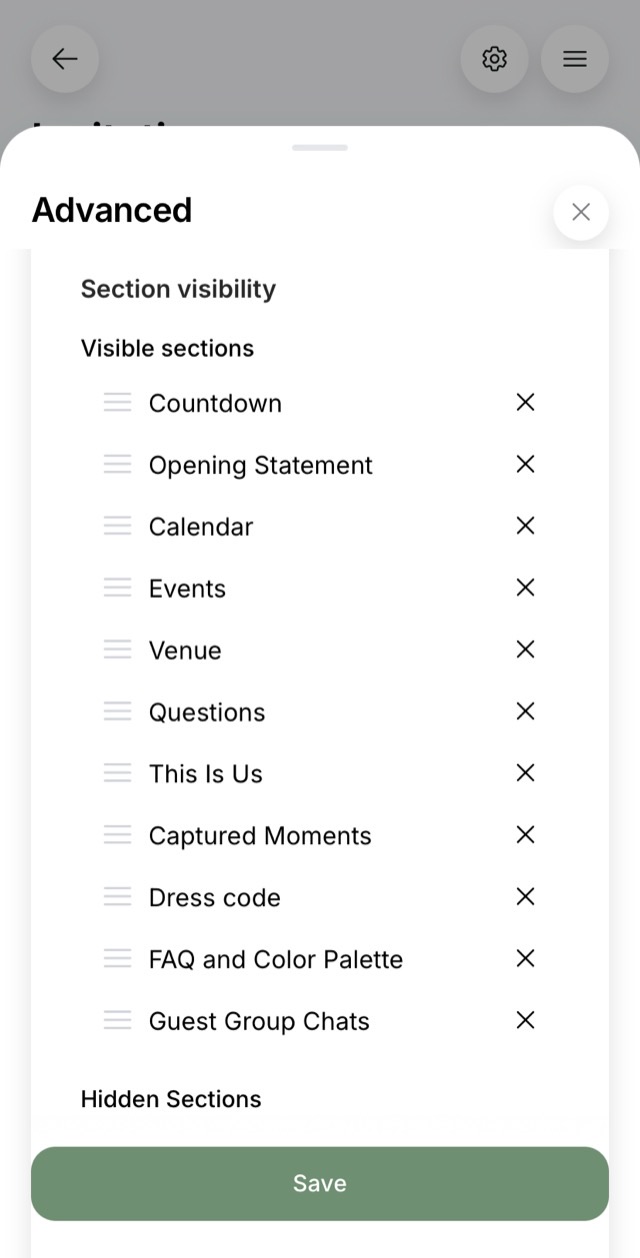
You decide which sections to keep and in what order: remove what you do not need, rearrange the rest.
Thank you!
«Thank you for not asking for money to unlock features the moment I opened it. Thank you for an app that is complete and has everything in it! Great link-up with Telegram, great way to survey guests about their preferences! Thank you for letting me make interactive invitations for free!»el.kamalova · App Store, October 2025
Guest replies
A guest's reply goes straight into your planning
The Sokolovs, your parents’ friends, said they are coming as a couple, chose white wine and asked for a ride. You moved nothing by hand: their answers are already in your lists.
- Two of us
- White wine
- Ride needed
- No room needed
- Guest list+2 confirmed
- Seating chart+2 to seat
- Drinks+2 for white wine
- Transport+1 row
Two weeks before the wedding the venue will ask how many people are coming. You will have a number, not «forty-something».
What changes
You stop answering the same questions
No invitations to hand out. No meeting a colleague at lunch, no hunting for a postal address. Every link can go out in one evening.
Fewer phone calls. Nobody needs to be told the start time again the night before: the invitation has been sitting in their chat all along, and they open it themselves.
Nothing goes stale. The time moves, the address changes. You edit one page and all fifty see the new version. Printed cards cannot do that.
Declining stops being an awkward call. Usually it takes a phone call someone has to work themselves up to, and you reassuring them it is fine. Many never call at all, and you are left guessing whether to expect them.
Here the guest marks «Can't make it» and, if they want, adds a line. They drop out of the seating chart on their own.
Designs
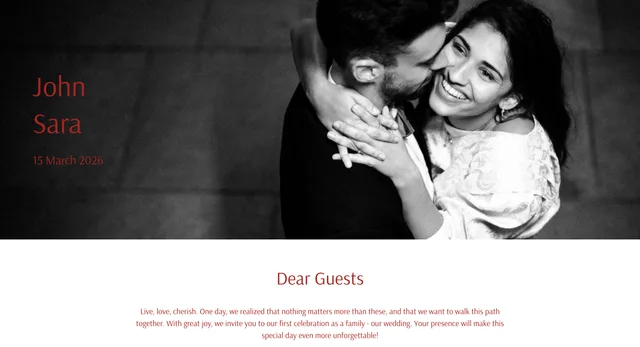
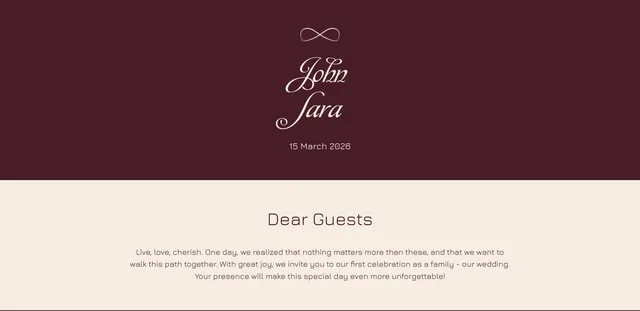
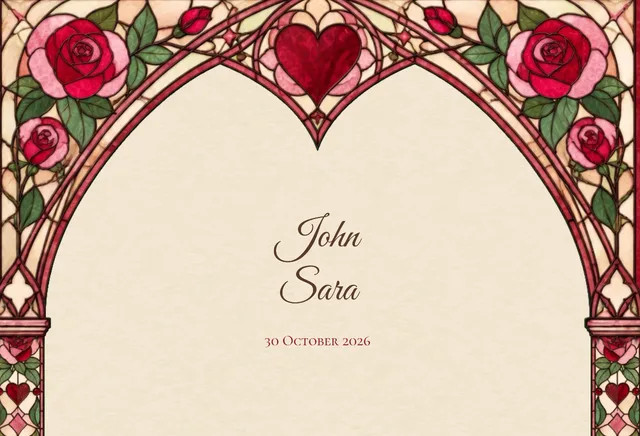
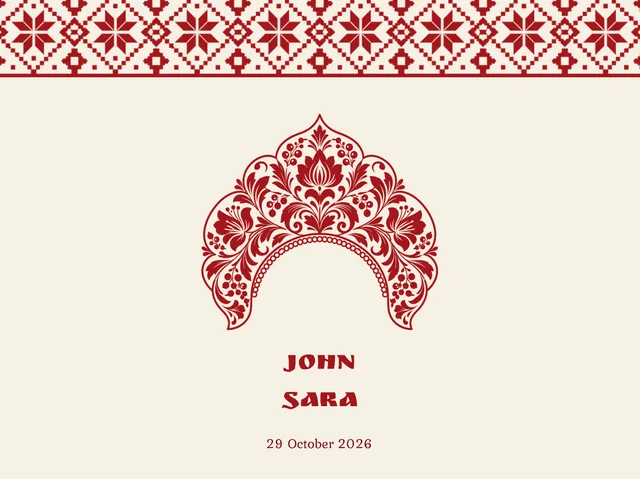
40 ready-made wedding invitation templates
Every template opens in full, no sign-up. See the invitation the way your guest will, before you start creating your own.










Your own design
Or build your own invitation
If none of the templates fits, an invitation can be built from scratch.
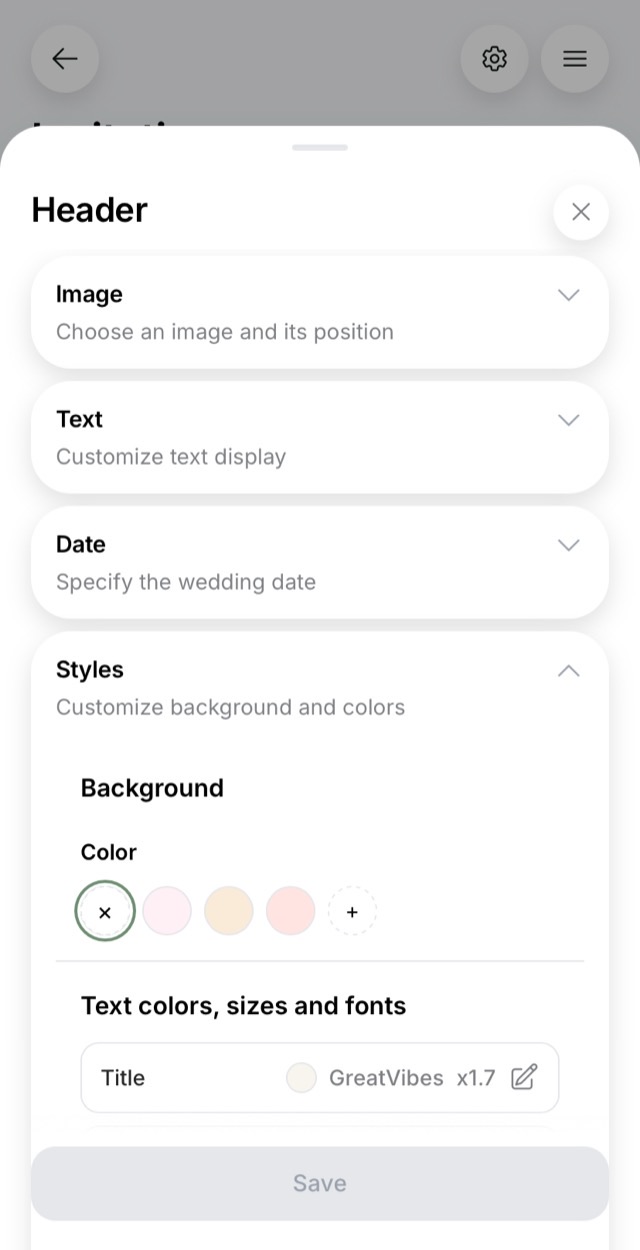
Every section takes your own photograph, its position and scale, and your own fonts for headings, names and body text. You keep only the sections your wedding needs. The opening words can carry a video message your guests watch inside the invitation.
Parents can get one invitation and friends another, with different styling.
Need paper? It hasn't gone anywhere
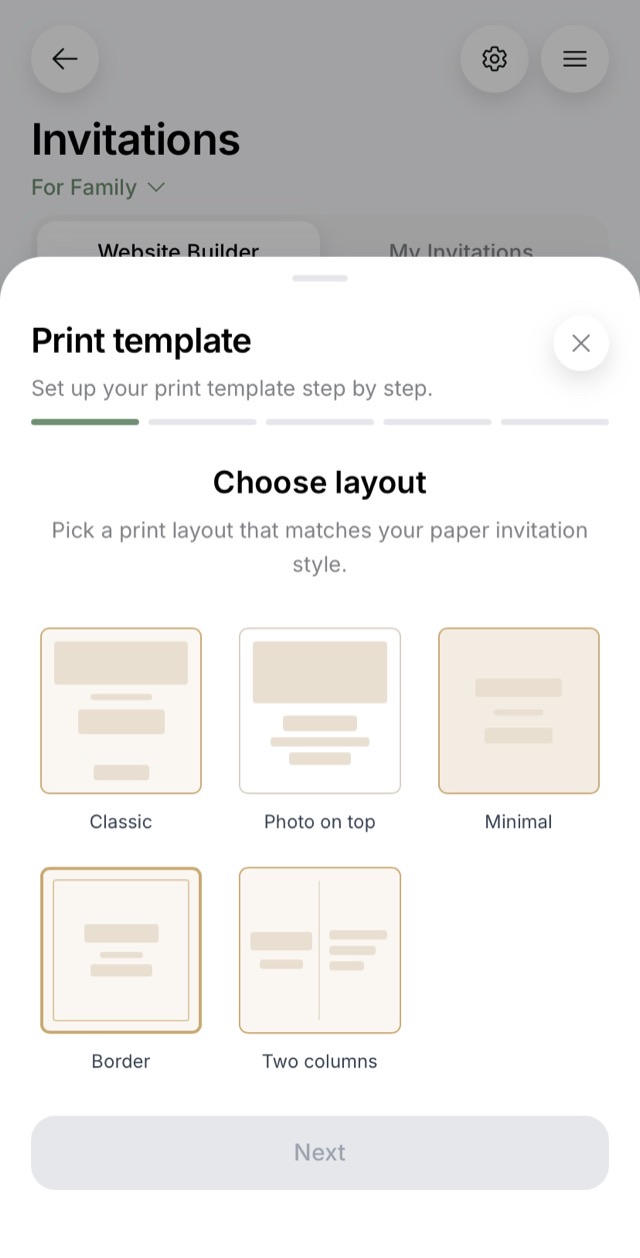
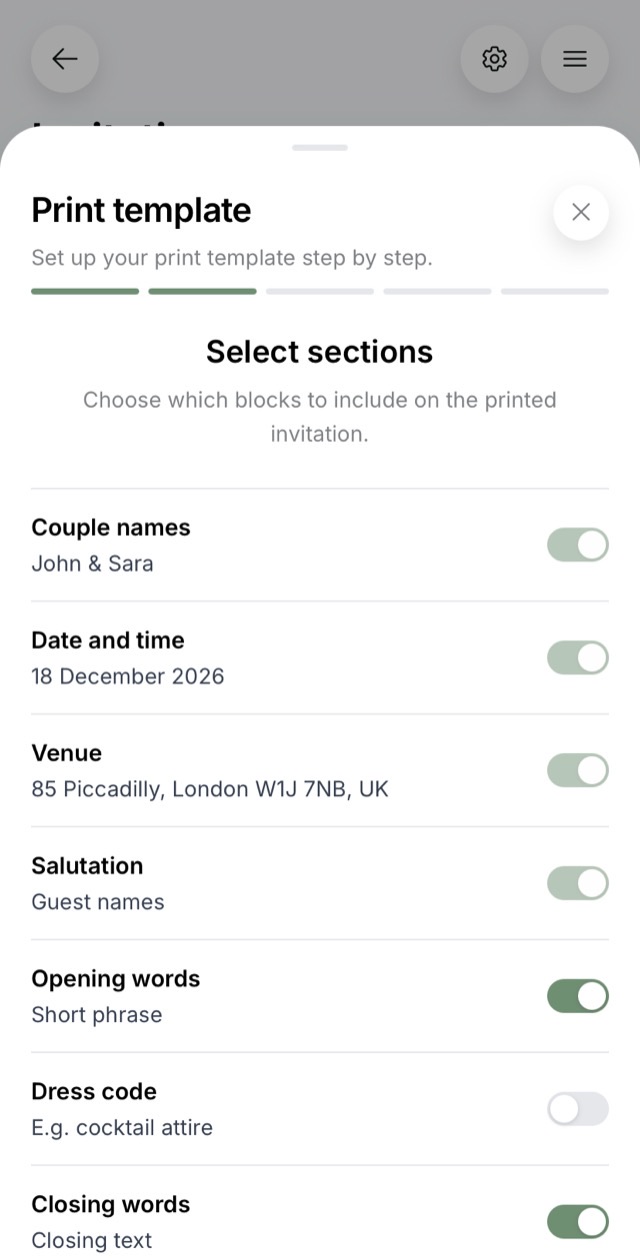
The invitation exports to a print-ready PDF in the same styling as the online one. Five layouts, your own margins, fonts and colors. For a grandmother, for parents, for anyone who wants to hold it.
My bride is happy
«An excellent helper for planning a wedding! And the electronic invitations saved us a decent amount of money»Mary_for1998 · App Store, February 2025
Everything from your phone
guests replied to invitations over the past year
Over that time we saw where people stumble: which step they abandon, what confuses them, what fails to open on a grandmother's phone. And we removed it.
You build and run invitations in the app, from your phone. Weddings get planned on the move and in the evening, not at a desk on Saturdays. A notification arrives in the app, and the full reply arrives in Telegram: what the guest chose to drink, whether they need a ride, whether they are staying for a second day.
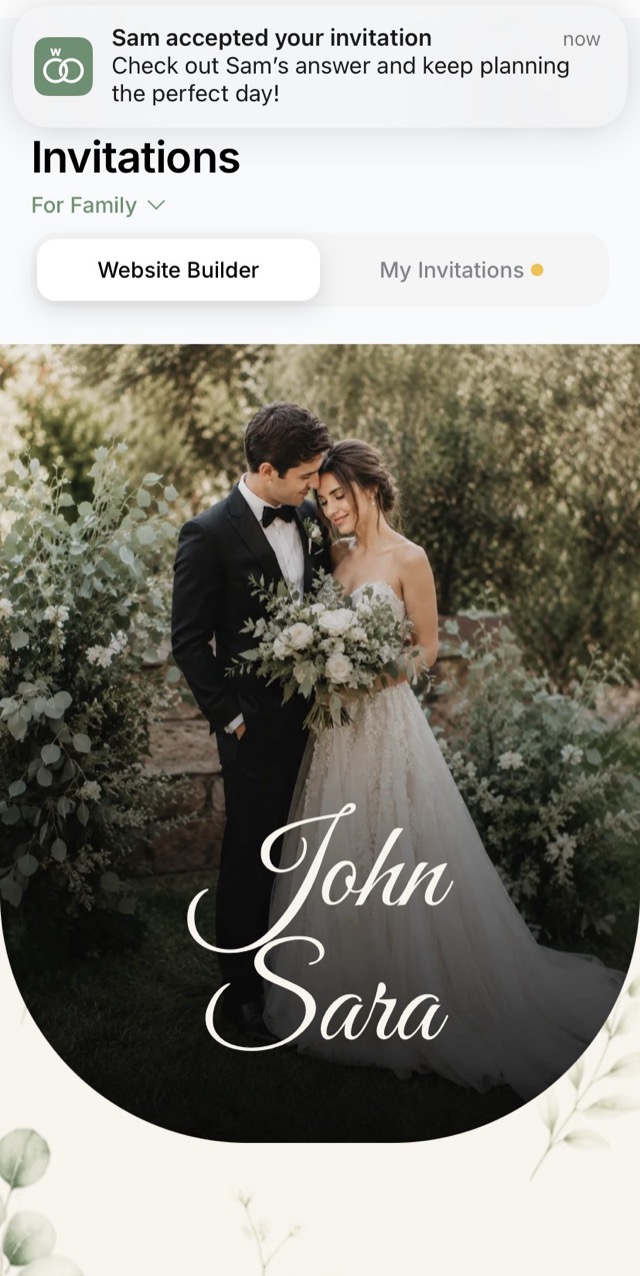
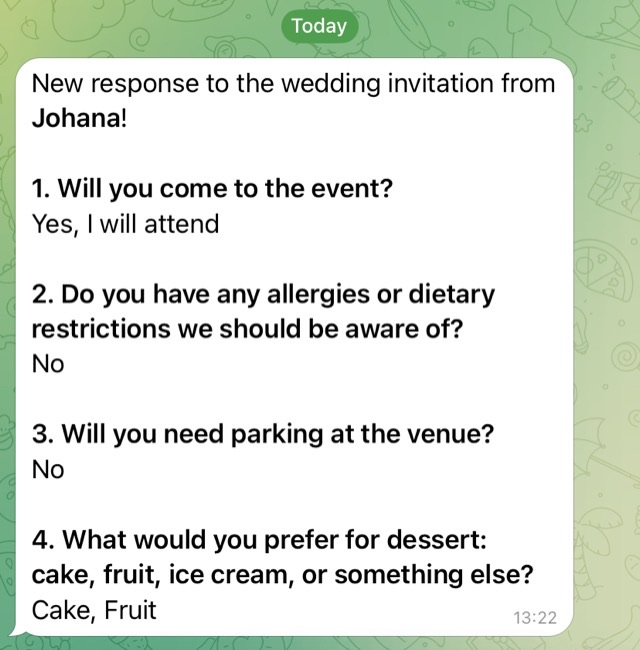
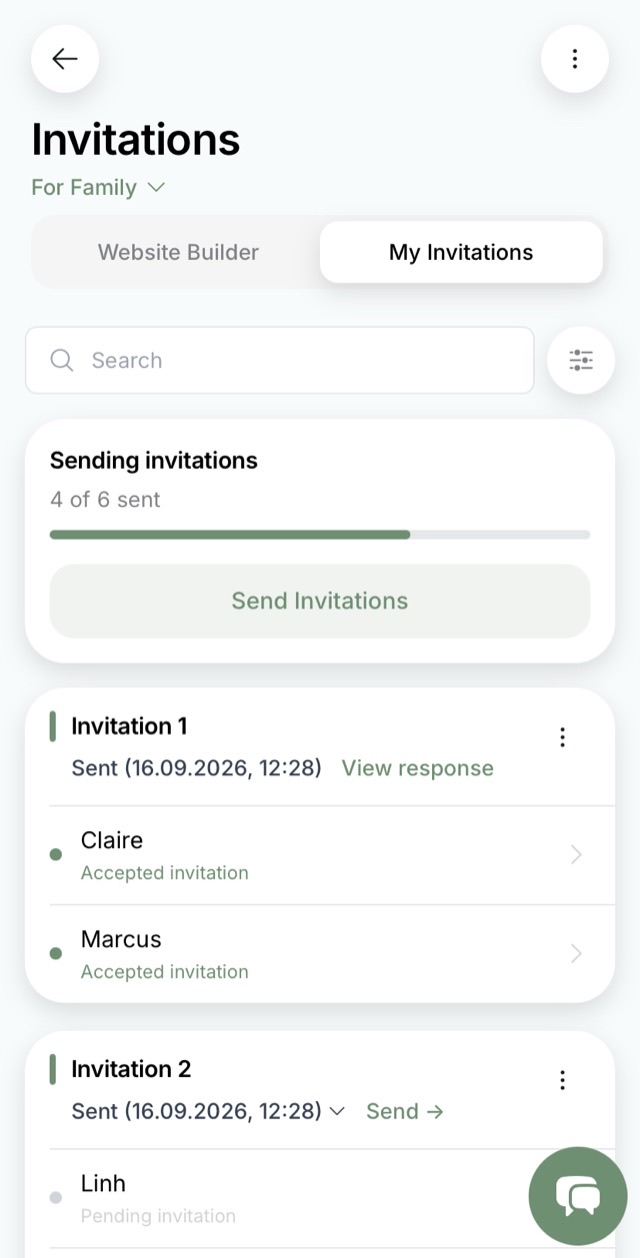
Guests do not need the app. They open the link in their phone browser and answer there, installing nothing, registering nowhere.
An invitation is not a separate job. The same app already holds your guest list, seating chart, budget, checklist and shopping. So a guest's reply lands where it is needed: in the guest list, the seating chart and the shopping list. Where invitations live apart from the planning, those answers would have to be copied across by hand.
Support 🔥
«Yesterday I wrote to support and suggested an extra feature — chat through MAX. I woke up in the morning and it was already done! Moved all the guests into MAX and now we are in touch!»dariapast · App Store, March 2026
Excellent app
«First of all, I was won over by how quickly they answered my question. They helped me work it out. ‹…› Lots of features, a pleasant, clear interface. And it is beautiful too))»App Store, September 2025
Price
Building your invitation and seeing all of it before you send is free.
$59.99 if you decide to send it to guests.
A one-time payment, not a subscription. No limit on guests or on how many different invitations you make. Every section is included: the schedule, the map and the photo album are not charged separately.
The App Store and Google Play set their own price tiers, so in your country the amount can differ. The app shows it before you pay.
And it is not only invitations. The same plan opens the rest of the app: the seating chart, the full checklist, the day timeline, actual payments, shared access for your partner and the album for guests’ photographs.
If something does not work, write to support. A person will answer.
Create an invitation1000% recommend
«We downloaded it with my fiancé and fill it in from two phones ‹…› what you pay for the plan is pennies!!! Two hours with a wedding planner costs far more, and the effect is the same!»Wesliii.s · App Store, August 2026
Common questions
What people usually ask
Does a guest need to install anything?
No. The guest opens a link in their phone browser and answers on the page. No app, no registration, no account.
How is a wedding website different from personal invitations?
They are two ways of sending the same thing. Personal invitations give each family its own link: you build the guest list in advance and see, for each person, whether the invitation was sent, opened and answered. A wedding website is one shared link for a group chat: guests enter themselves and their companions, and the list assembles from their replies. You choose either at creation and can switch later.
How do guests confirm they are coming?
Inside the invitation: they mark whether they are coming, add who is with them, and answer your questions: what they drink, whether they need a ride or a room. The reply goes straight into your guest list.
Can I add photos and music?
Yes. Photographs go into any section, and you can pick music for the invitation. The guest starts it with a button inside the page. Different groups of guests can have different music.
How much does an online invitation cost, and can I make one for free?
Building the invitation, styling it and seeing all of it before you send costs nothing. Sending it to guests is part of the Premium plan: $59.99 once, whatever the number of guests and invitations. The App Store and Google Play set their own price tiers, so in your country the amount can differ.
How do I see who opened the invitation and who has not replied?
For each guest you can see whether the invitation was sent, opened and answered. You see the silent ones by name and remind only them. A guest who has replied can set themselves a reminder for the week before the wedding.
What if a grandparent has an old phone?
There is a printed version for them: the invitation exports to a print-ready PDF in the same styling as the online one.
What if the time or the venue changes?
You edit the invitation in one place and every guest sees the new version. You can also send an announcement. It reaches everyone who received the invitation, and you can see how many it got to.
Send your guests one link instead of one more explanation
Create the invitation, set it up for your wedding and see it the way a guest will.
Building it and previewing it before you send is free. Sending to guests is $59.99 once.