Wedding budget
Wedding budget: how to plan it and stay on track
Most couples land on a rough number within the first few weeks. Sticking to it is the hard part: deposits go out months in advance, small costs pile up in the final month, and by the big day you’ve lost track of who’s been paid and how much.
Here’s how to make a wedding budget step by step, split it across categories and track your spending so there are no surprises at the end.
Free to try. No subscription or credit card needed
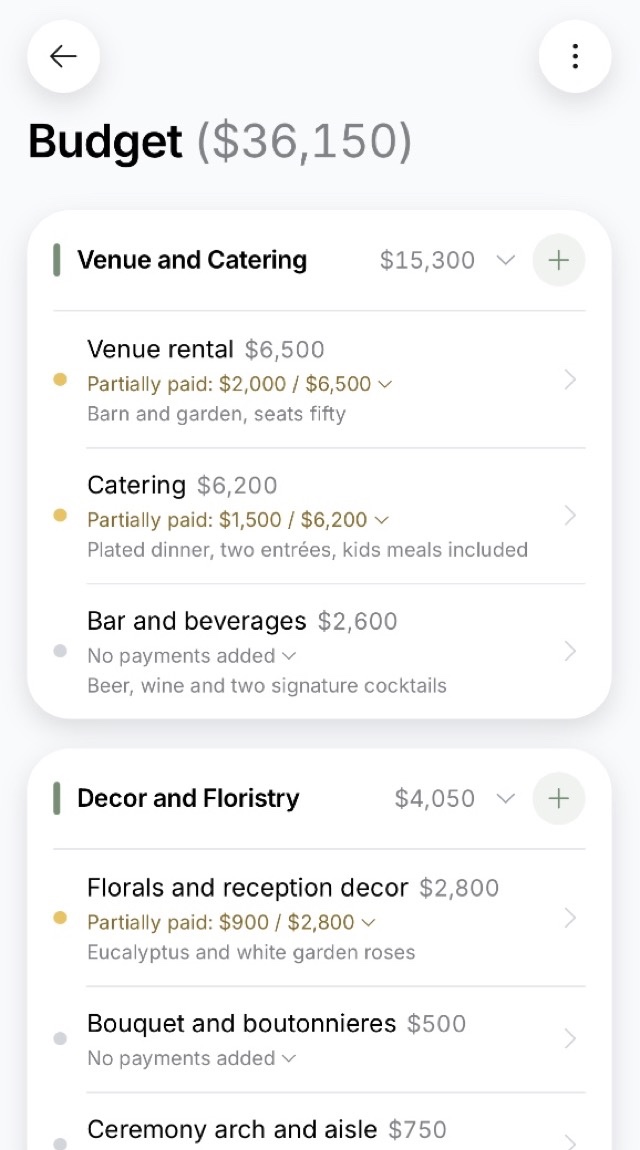
01How it usually goes
No idea how much you need or where it all goes
When you first start planning, you have no real idea what a wedding costs or where all that money actually goes. So you ballpark it, start a spreadsheet and dutifully log the first few expenses.
Then things pick up: the venue deposit, the photographer’s retainer, the dress on a payment plan, the rings. Some of it goes on a card, some gets paid in cash, half of it never gets written down, and nobody’s opened the spreadsheet since March. Six months in, you couldn’t say how much you’ve spent or how much is still coming.
It’s rarely one big expense that blows a wedding budget. It’s all the little ones nobody wrote down.
02Step by step
How to make a wedding budget
Five steps that turn a rough number into a real plan: what to pay, when to pay it and where the money comes from.
- 1
Set your total
Decide how much you can spend on the whole wedding: your savings, what you’ll put aside between now and the big day, and any help from family. Build the budget down from that number, not up from individual costs. Otherwise every category grows on its own, and you’re the last to find out the total. Not sure where to start? Many US couples spend somewhere around $30,000 to $35,000.
- 2
Decide what matters most
Pick two or three things you don’t want to skimp on, say the photographer and the venue, and fit everything else around them. It makes it easier to say no to the small stuff, and you won’t end up arguing over every line item.
- 3
Split it across categories
Start with the venue and catering, which together take almost half the budget. Then attire, music, photo and video, and decor.
- 4
Keep a 10–15% buffer
As the day gets closer, costs you never planned for will show up: a corkage fee, an extra hour at the venue, a meal for the photographer. A buffer covers them without cutting something that matters.
- 5
Log every payment right away
Write down the deposit, the balance and when the next payment is due. That way you always know what you’ve paid and what’s still coming. Whoever paid, it all goes into one budget.
03Budget breakdown
Almost half the budget goes to the venue and catering
Here’s how couples with 30 to 100 guests typically divide their budget. The bigger the guest list, the bigger the venue’s share: about 33% for a wedding of under 15, and 54% once you pass 100 guests.
If you need to cut back, start with the venue, the date and the guest count.
Skipping boutonnieres barely makes a dent. A Friday or an off-season date can take a real bite out of the biggest cost of all.
- Venue and catering44%
- Attire and beauty15%
- Music and entertainment14%
- Photo and video10%
- Decor and flowers9%
- Planning and coordination4%
- Transportation and lodging4%
Based on budgets couples keep in our app.
04When the money goes
You pay for a wedding in two waves
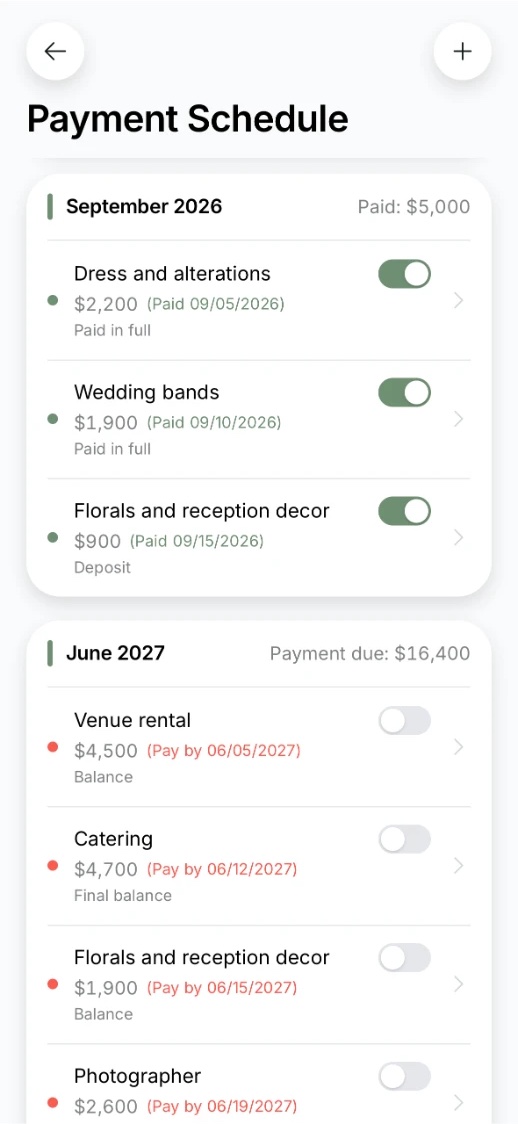
It’s one budget, but the payments stretch over most of a year. Deposits come first, when you book the venue and vendors. Final balances follow a week or two before the wedding. For a summer 2027 wedding, the first wave hits in fall and winter, the second in early summer.
- Right after the proposalBudget and prioritiesNothing to pay yet. You set your total, pick your priorities and start getting quotes from venues and vendors.
- 6–12 months outDepositsFirst waveYou book the venue, photographer, videographer, DJ or band, and caterer. Nearly every contract you sign comes with a deposit.
- 3–6 months outPurchasesRings, the cake, the suit, shoes and accessories, transportation, decor. Smaller costs, but lots of them.
- 1–2 months outFinal balancesSecond waveWhat’s left on each contract, often due a week or two before the wedding. Plus day-of stationery, alcohol if you’re supplying your own, and a room for the wedding night.
- The final weekTips and cashCash for vendors who expect payment on the day, plus tip envelopes. After the wedding, you settle up with anyone who’s still owed.
Your wedding planning checklist on the same timeline
Don’t just save for “the wedding.” Save for two deadlines: booking season and the final month.
Most final payments are due before the wedding or on the day, not after. If you come up short on the second wave, there’s nothing left to cut: everything’s already booked.
In the app, every balance has a due date, so the second wave won’t catch you off guard.
05Staying on track
How to keep your wedding budget on track
You don’t have to track every penny. You just need to be able to answer three questions at any time.
1
What will it all cost?
Add up every category. If the total is more than you want to spend, cut back now, before anything’s paid.
2
How much have we paid so far?
Deposits, retainers, purchases. Log each one as it happens, or a month later you won’t remember it.
3
What’s left, and when is it due?
Remaining balances and their due dates. Check that total against what you’ve saved.
Here’s how that plays out
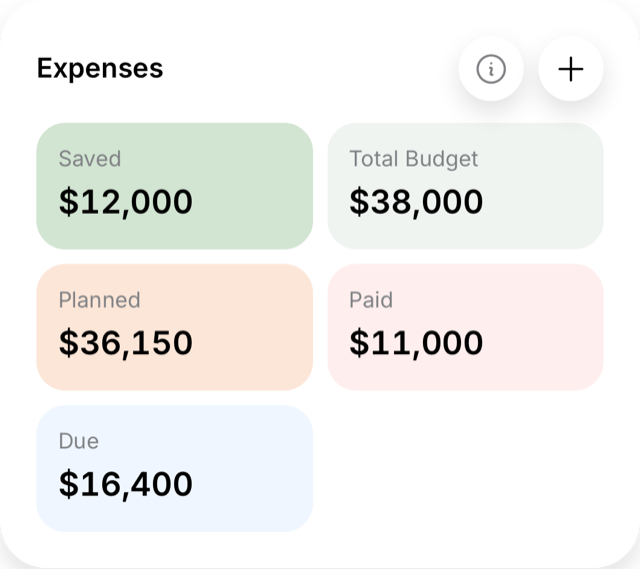
You budgeted $14,000 for the venue, but the contract came to $15,000. The extra $1,000 comes out of your buffer, or you trim something else, like decor.
You pay the deposit in March, and the remaining $10,500 is due by July 1. Write it down, due date and all, so it doesn’t sneak up on you the week of the wedding.
Once a month, check three things
- Has the total crept past what you’re willing to spend?
- What’s due in the next month?
- Do your savings cover it?
In the app, the answers to all three are right there when you open it. No mental math.
Venue
$15,000
budgeted $14,000
- Deposit, Mar 14$4,500
- Balance, due July 1$10,500
06Expense checklist
Wedding expenses: the complete checklist
Everything worth including in your wedding budget, by category, with the most common items at the top. Run through it before you start plugging in numbers, and nothing will blindside you later.
Anything tagged “often forgotten” is something couples tend to remember only in the final month.
Venue and catering
- Venue rental
- Bar and drinks
- Catering
- Service staff
- Corkage feeoften forgotten
- Menu tasting
- Extra venue hoursoften forgotten
- Furniture rentalsoften forgotten
- Cleanup feeoften forgotten
Decor and flowers
- Reception decor
- Sweetheart table
- Lighting
- Ceremony arch
- Welcome table
- Photo backdrop
4 moreShow less
- Centerpieces
- Ceremony flowers
- Linens and draping
- Candles, vases and other decor rentals
Photo and video
- Photographer
- Videographer
- Engagement shoot
- Highlight film
- Wedding album
- Second shooter
- Vendor meals and lodgingoften forgotten
1 moreShow less
- Photo prints for guests
Music and entertainment
- MC
- DJ
- Sparkler send-off
- First dance lessons
- Sound and lighting
- Live band
4 moreShow less
- Guest games and activities
- Entertainers
- Dance performance
- Magician
Planning and coordination
- Day-of coordinator
- Wedding planner
- Day-of assistants
Attire and beauty
- Wedding dress
- Suit or tux
- Hair and makeup
- Bridal shoes
- Veil and jewelry
- Manicure
3 moreShow less
- Dress shoes
- Tie and cufflinks
- Stylist
Transportation and lodging
- Getaway car
- Guest shuttle
- Hotel room block
- Car decorations
- Venue parking
- Driver overtime
Every item here is already in the app. Pick the ones you need, add amounts, and your budget’s done.
07In the app
The app does the budget math for you
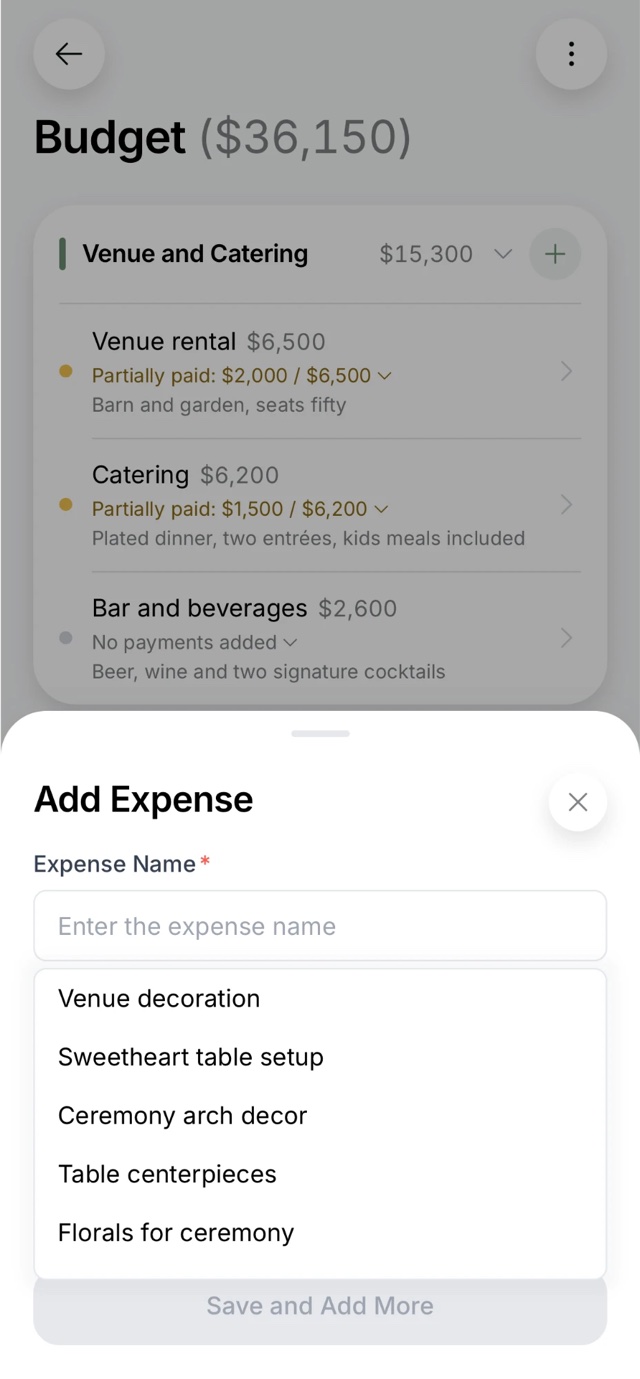
You enter your total, then just log expenses as they happen. The app handles the rest.
A budget in minutes
The main expense categories are already there, and tips remind you of the small stuff. You just fill in your amounts.
Always know what’s left
See what you’ve paid and what’s still ahead at a glance.
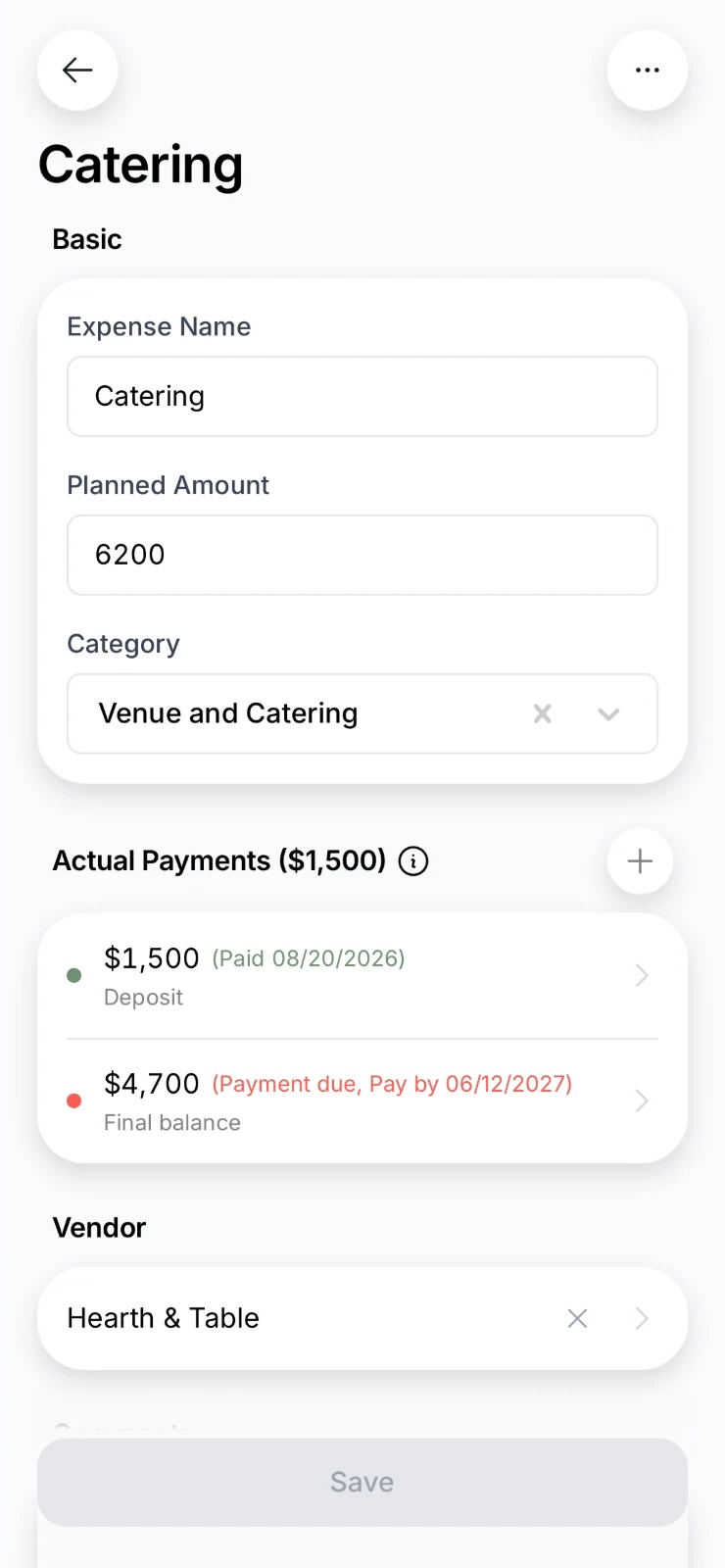
Every payment with a due date
Deposits and balances in one place, so you can see what’s due this month.
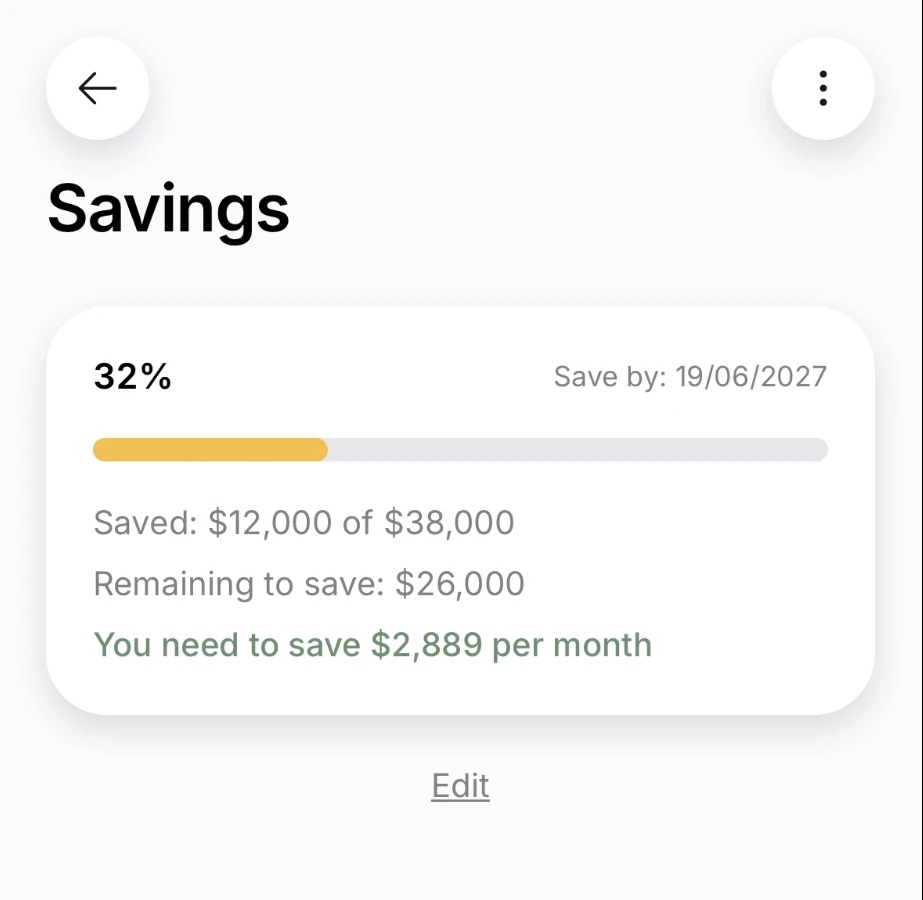
Saving made easy
Enter how much you need and by when, and the app tells you how much to set aside each month.
Contracts in one place
Each vendor’s contract and contact info live right next to the expense, not buried in your inbox.
Plan it together
Your partner sees the same budget on their phone. Nothing to forward.
Free to try. No subscription or credit card needed.
Wedding budget FAQ
- How do you make a wedding budget?
- Start with the total you’re ready to spend, including savings and any help from family. Then pick the two or three things you don’t want to skimp on, split the rest across categories and set aside 10–15% for surprises. After that, log every payment: the deposit, the balance and when it’s due.
- What does a typical wedding budget breakdown look like?
- For couples with 30 to 100 guests, 44% of the budget goes to the venue and catering, 15% to attire and beauty, 14% to music and entertainment, 10% to photo and video and 9% to decor. Planning and transportation take 4% each. Use it as a starting point: if photos matter most to you, move money their way.
- How much should we set aside for unexpected costs?
- 10–15% of your total. That usually covers what shows up in the final month: a corkage fee, an extra hour at the venue, vendor meals, guest transportation.
- When are wedding deposits and final payments due?
- Deposits are paid when you book the venue and vendors, usually 6–12 months before the wedding. Final balances are often due a week or two before, and some vendors want cash on the day. So you need cash on hand twice: when you book, and in the final month.
- What if we go over budget?
- Deal with it right away, while there’s still room to adjust. Use your buffer first, then trim a category that matters less to you. The venue, the date and the guest count move the total the most; small things like boutonnieres won’t save much.
- What do couples most often forget to budget for?
- Corkage fees, extra venue hours, vendor meals, decor setup and teardown, guest transportation and hotel rooms, dress alterations and the small finishing touches to your look.
- How do we save for a wedding?
- Work out how much you still need and divide it by the months until the wedding. For example, if you need another $20,000 and the wedding is ten months away, put aside $2,000 a month. The easiest way is a separate savings account with an automatic transfer right after payday. The app does this math for you. Work out how much to save
- Is there a wedding budget template?
- The expense checklist on this page is a ready-made template: go through it and add your amounts. You can keep a budget in a spreadsheet, but a spreadsheet won’t remind you what you forgot or show what’s due this month, and you have to keep sending it to your partner. In the app, you both work from one budget, and you can export it to a spreadsheet anytime.
- Can we plan the budget together?
- Yes. Your partner sees the same budget on their phone, so there’s nothing to forward.
- Can we try it for free?
- Yes. No subscription, no credit card.
- How much does the average wedding cost in the US?
- Many US couples spend somewhere between $30,000 and $35,000, though it varies a lot by guest count and location. Whatever your number is, the steps above turn it into a plan.
Build your wedding budget
Get the app and enter what you want to spend. The main categories and tips are already set up, so all that’s left is logging expenses as they come.
Free to start. No subscription or credit card needed